Download a voice
Wait for the download to finish. Playing a voice preview does not download the full voice.
 Local TTSStart listening
Download a voice and save your documents. Local TTS then generates speech on your device, including when Wi-Fi and cellular data are off.

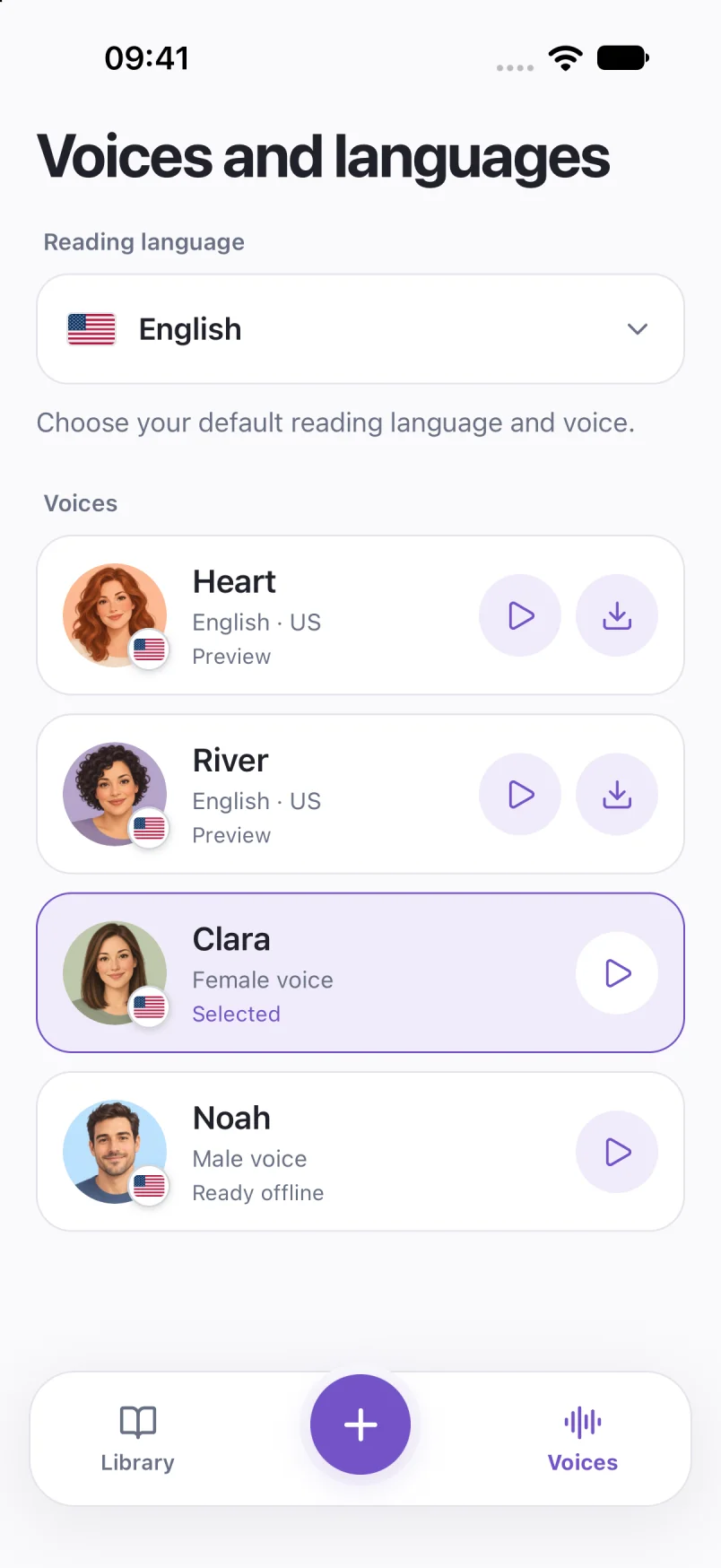
Wait for the download to finish. Playing a voice preview does not download the full voice.
Import the files you want to hear. Files stored only in the cloud need to be downloaded first.
Turn off Wi-Fi and cellular data, then play a document to confirm it is ready.
Voice downloads and purchases need a connection. Full listening requires Pro. Usage analytics can be disabled in Settings and excludes document text and audio.
On-device speech is available on iPhone, iPad and Android. The preparation screens here show iPhone.
Screens show sample documents. Labels and voices may vary by app version.
Read the privacy policySet up offline text to speech on iPhone before a flight or commute. Download a voice, save your documents and check playback without Wi-Fi or cellular data.
Offline listening 5 min readListen to documents with your iPhone screen locked. Set up Local TTS background playback and check the timer, audio output and voice if it stops.
Background listening 4 min read