
How to Listen to EPUB Books on iPhone with Text to Speech

You can listen to an EPUB on iPhone by importing a DRM-free EPUB file into Local TTS and playing it with a downloaded voice. The app reads the book’s text aloud, highlights sentences and saves your reading progress. Prepare the book and voice online first if you want to listen without a connection.
Start with an EPUB you can actually import
An EPUB is an ebook file. To use it in Local TTS, you need the file itself, saved somewhere the iPhone’s file picker can access. A title appearing on the bookshelf of another app does not necessarily mean you have an exportable EPUB.
Use a DRM-free book from a publisher or author who provides a downloadable EPUB, a book you created, or another file you have permission to use. DRM is access protection that can prevent an ebook from opening in a different reader. Local TTS does not remove it.
If your document is a PDF instead, use the PDF read-aloud guide. Renaming a file from .pdf to .epub does not convert it. If you have both formats, try the EPUB for a text-focused book and compare the imported text before settling into a long listen.
Open the book in Local TTS
- Save the EPUB in Files. If a publisher’s download is still in your browser or email, save it where you can find it. Download cloud-only files while you are online.
- Add the book. In Local TTS, open Add to library, tap Choose file and select the EPUB.
- Check the imported reading text. Look at the title, opening paragraphs and transitions between sections. Confirm the reading language.
- Save and open the reader. Select a voice and finish its download if necessary.
- Play a short passage. Listen for comfortable pronunciation and pace before starting a longer session.
A useful first book is a short, mostly text-based EPUB. A heavily illustrated textbook or an ebook with an unusual layout needs more checking: speech reads the extracted words, while the original illustrations and page design may carry additional meaning.
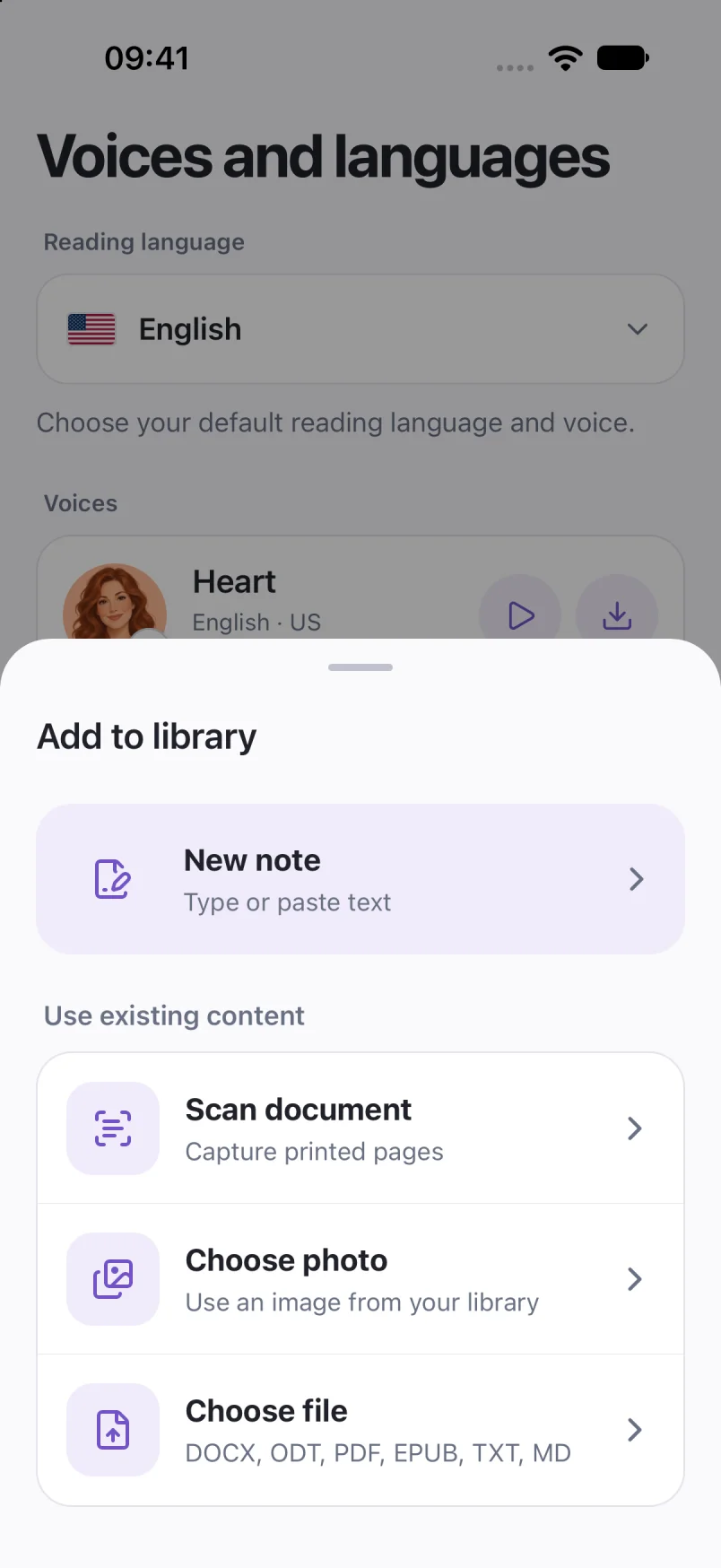
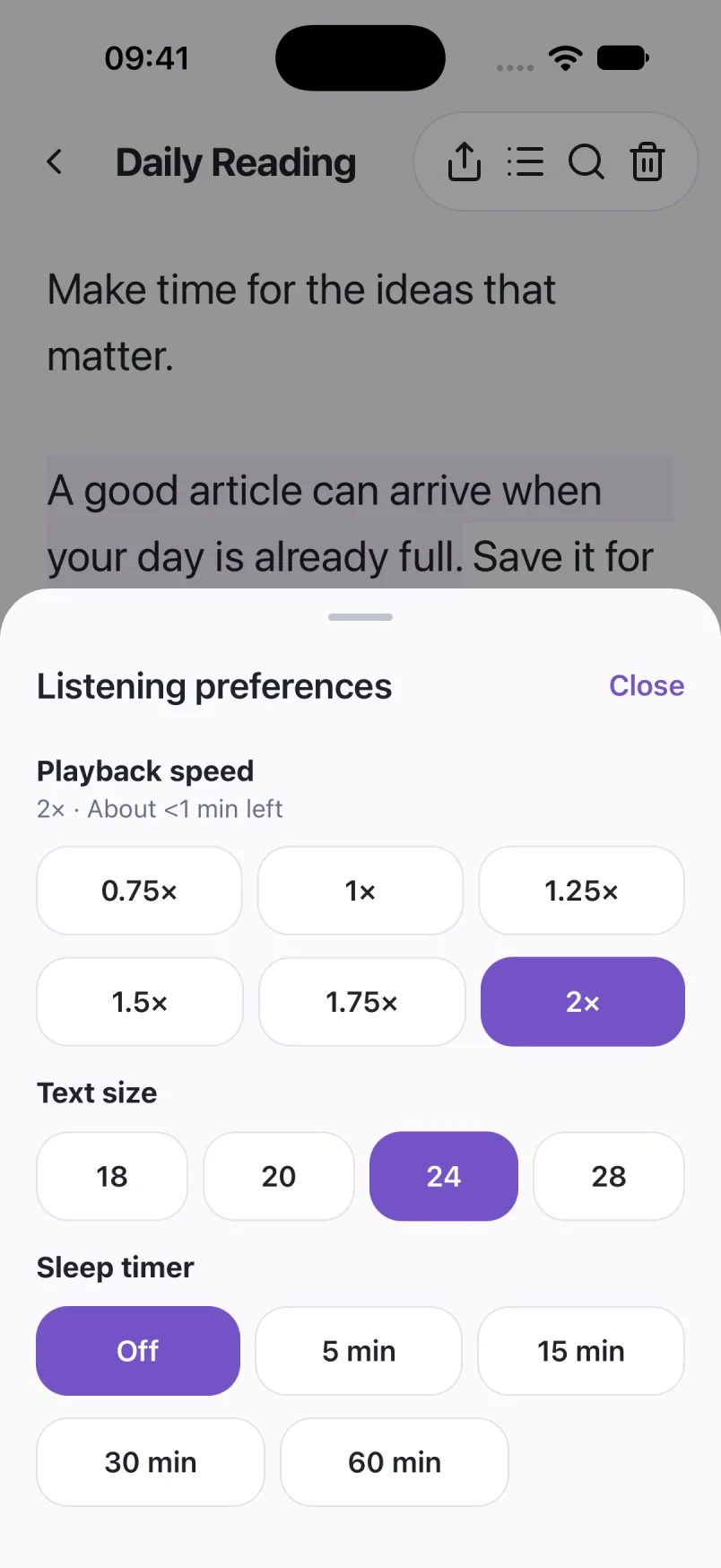
Captured in Local TTS on iPhone with sample documents. Labels and available voices may vary by app version and language.
Hear a little of what’s possible.
Clara · EnglishAt the end of the street, the city gave way to a path along the river. Maya put her phone in her pocket and began to walk. There was no hurry to get home. For once, she had a whole chapter and the afternoon ahead of her.
A prerecorded sample made with the voice model used in Local TTS.
Choose a voice and a pace you want to spend time with
Text to speech generates narration from the written text. It is different from a professionally performed audiobook with a cast, music or editorial direction. A short preview tells you whether a voice suits the book better than a feature list does.
Listen to a paragraph containing dialogue and a few names. Keep the default speed at first, then adjust it in small steps. The reading language should match the words on the page; selecting a different language does not translate the story.
Voice availability varies by language. You can hear examples on the homepage language preview and try the voices available in the app with your own text.
Keep the story going when you put your phone away
Use sentence highlighting when you want to read and listen together. When you head out, Local TTS supports playback in the background and with the screen locked. Saved progress helps you return to the place where you stopped.
For an evening listen, set the sleep timer in the app. If you lose track of a sentence, use the reader’s sentence controls to go back. The aim is a comfortable reading habit: choose a pace that lets you follow the story instead of simply finishing it faster.
Keep a separate copy of the original EPUB. Your listening library and its progress live on the device; do not assume that a book or reading position will automatically appear on another phone or tablet.
Prepare your EPUB for offline listening
Before a trip, import the book and download the voice you intend to use. Open the book once, then turn off both Wi-Fi and cellular data and play a fresh passage. Airplane Mode alone may leave Wi-Fi enabled, so check the connection state when verifying offline behavior.
You do not need to make a complete audio export before leaving. Once the voice is ready, Local TTS can generate narration locally from the saved book. For the full preparation sequence, follow offline text to speech on iPhone.
Want to bring a printed passage as well? The photo and scanning guide explains how to turn a page into editable text for listening.
What if the book will not open?
Check the extension and confirm that you have an actual EPUB, not a download receipt, a web link or a file for a different ebook format. Let any cloud download finish, and try opening the file again from Files.
If the book is protected, ask the seller whether a DRM-free EPUB is available. Buying a title in Kindle or Apple Books does not guarantee a file you can export to another reader. Use the retailer’s supported reading options when an importable edition is unavailable.
If an unprotected EPUB imports but reads poorly, check a different short EPUB to separate a file problem from a playback problem. Keep examples of the affected text when contacting support, and share only content you are comfortable sending.
Common questions
Can I listen to every Kindle or Apple Books purchase?
No. Local TTS needs an importable DRM-free EPUB. A purchase in another bookstore does not guarantee access to that kind of file, and Local TTS does not remove ebook protection.
Is this the same as downloading an audiobook?
No. The app generates speech from the ebook text using the voice you choose. A published audiobook is a separate recording and may have different narration or production.
Can I listen with the iPhone locked?
Yes. Local TTS supports background and locked-screen playback. Start a listening session in the app first. Full listening requires an in-app purchase after the free preview.
Sources & useful references
Instructions use English app labels; wording may differ by language or version. This guide describes Local TTS features and includes practical checks for your own files.